
Community
Share your experience!
Turn on suggestions
Auto-suggest helps you quickly narrow down your search results by suggesting possible matches as you type.
Showing results for
- Community
- PC & eReading
- PCs & Accessories
- oh no beer spillage!!!!!
Options
- Subscribe to RSS Feed
- Mark Topic as New
- Mark Topic as Read
- Float this Topic for Current User
- Bookmark
- Subscribe
- Mute
- Printer Friendly Page
oh no beer spillage!!!!!
- Mark as New
- Bookmark
- Subscribe
- Mute
- Subscribe to RSS Feed
- Highlight
- Report Inappropriate Content
May 2006
May 2006
oh no beer spillage!!!!!
 Hi Guys
With the help of my 2 year old son i managed to spill beer onto my GRT816 keyboard last night. It appears to be working ok apart from several keys either not working or acting eratic, i am having to use a desktop keyboard plugged into the back of my docking station to write this. Can anyone advise if the damage is permanent or will it right itself in time? Can it be repaired? or is it kaput? (hope not). Any help would be much appreciated.
Rob
12 REPLIES 12


- Mark as New
- Bookmark
- Subscribe
- Mute
- Subscribe to RSS Feed
- Highlight
- Report Inappropriate Content
May 2006
May 2006
Hi Rob,
You can remove the keyboard and clean it, then leave it a few days to dry out.
A lint free cloth with a little cleaning fluid (non alcohol) should do the trick for the keyboard.
- Mark as New
- Bookmark
- Subscribe
- Mute
- Subscribe to RSS Feed
- Highlight
- Report Inappropriate Content
May 2006
May 2006
thanks for the reply kee-lo, just tried opening up the laptop but after taking all visible screws out i could not remove top . am i missing something?

- Mark as New
- Bookmark
- Subscribe
- Mute
- Subscribe to RSS Feed
- Highlight
- Report Inappropriate Content
May 2006
May 2006
Rob,
Looks like you have to remove the Hood Keyboard first and then there is a screw holding the top of the keyboard proper.
Can you work it out from the diagrams HERE ?

- Mark as New
- Bookmark
- Subscribe
- Mute
- Subscribe to RSS Feed
- Highlight
- Report Inappropriate Content
May 2006
May 2006
If the keyboard doesn't come back 100% the link in the post above is the only place I know of where you can buy a keyboard for a DIY replacement. I used them myself recently for a replacement keyboard.

- Mark as New
- Bookmark
- Subscribe
- Mute
- Subscribe to RSS Feed
- Highlight
- Report Inappropriate Content
May 2006
May 2006
if all else fails - insurance may cover ?
- Mark as New
- Bookmark
- Subscribe
- Mute
- Subscribe to RSS Feed
- Highlight
- Report Inappropriate Content
May 2006
May 2006
bloody hell looks a major job that. where do you start?
- Mark as New
- Bookmark
- Subscribe
- Mute
- Subscribe to RSS Feed
- Highlight
- Report Inappropriate Content
May 2006
May 2006
If its anything like my old GRX you need to remove the speaker panel above the keyboard. It is called Keyboard hood in the diagrams and looks like screw B2 holds it on. After screw removal try sliding it to the left and tilting upwards.
This should reveal a screw or screws that holds the top of the keyboard.
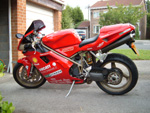
BTW nice bike!
This is my one!
- Mark as New
- Bookmark
- Subscribe
- Mute
- Subscribe to RSS Feed
- Highlight
- Report Inappropriate Content
May 2006
May 2006
cool looking bike william, gonna try again removing the keyboard. whats the rough price for a keyboard?
- Mark as New
- Bookmark
- Subscribe
- Mute
- Subscribe to RSS Feed
- Highlight
- Report Inappropriate Content
May 2006
May 2006
$62.91 plus shipping from that link above.
From studying those parts diagrams:
Remove speaker grill - Remove screw B2 then slide the grill to the left gently. Then tilt upwards & backwards towards the screen being careful not to displace any ribbon connectors.
This allows you access to the ONE keyboard screw at the top edge of the keyboard (in centre). Remove this screw.
Lift keyboard upwards and towards you by the top edge. This will reaveal the keyboard ribbon connector. Disconnct the ribbon cable from the motherboard socket, it may have a clip that locks it in.
The keyboard should then be free.

0online
1904315posts